Most URL checks start with a list in a spreadsheet. Then the routine begins: open a desktop crawler, paste the list into list mode, run it, export the results, and copy the right columns back into the sheet. For a client list, a redirect map or a post-migration spot check, that’s a lot of steps for a quick answer.
We wanted the answer to land where the URLs already are. So our SEO analyst built Sheet Crawler, and it’s now part of how our team works.
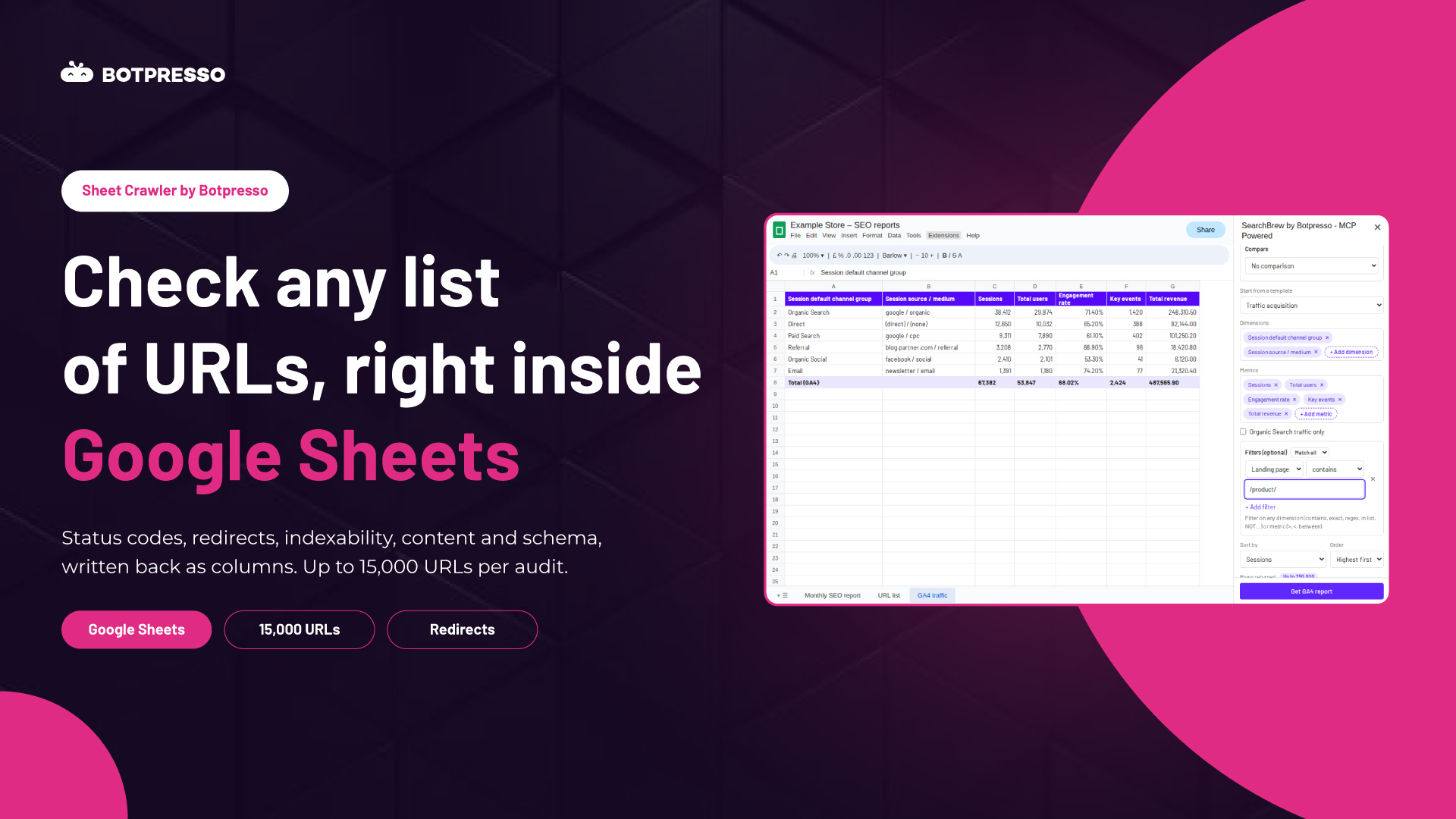
Sheet Crawler at a glance: Sheet Crawler is Botpresso’s internal Google Sheets add-on. Put a list of URLs in a sheet, pick what to check, and it writes the results back as columns: status codes, redirects, indexability, content, headings, links, schema and duplicates, for up to 15,000 URLs per audit.
Table of contents
Why we built it
List audits are some of the most common checks in SEO: confirming a redirect map after a migration, checking a client’s priority pages, or validating a batch of new URLs before launch. The URLs almost always start in a spreadsheet, and the findings almost always end up back in one.
Moving data out to a crawler and back again adds time and room for error. Sheet Crawler removes that round trip. Open it from the Extensions menu, paste the URLs, choose the checks, and the results appear as new columns next to them.
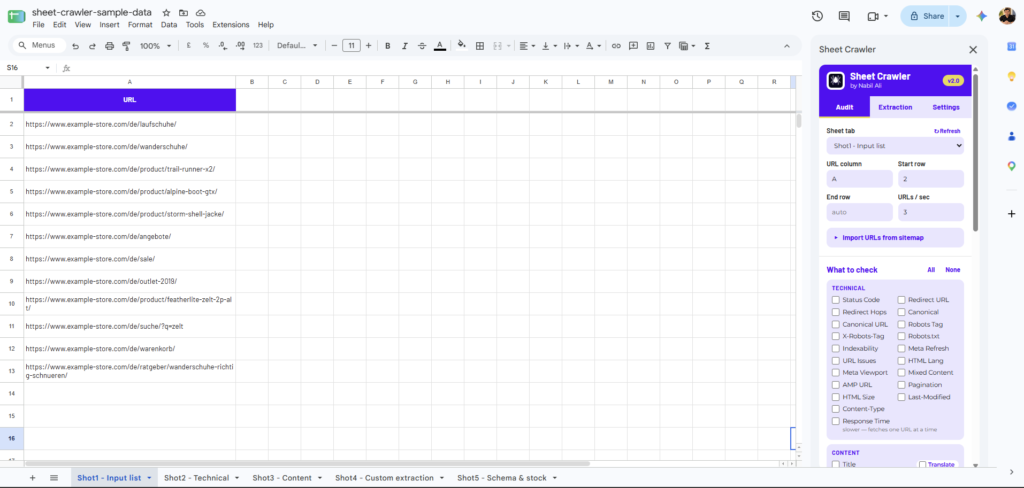
Paste the URLs, pick the checks, and Sheet Crawler does the rest.
What Sheet Crawler checks
Pick only what you need. Each check becomes its own column, so the sheet stays easy to filter and share.
Technical
Status codes and full redirect chains, canonicals, meta robots and X-Robots-Tag, and robots.txt. An indexability verdict explains in plain words why a page isn’t indexable, such as “noindex” or “canonicalised to another URL”.
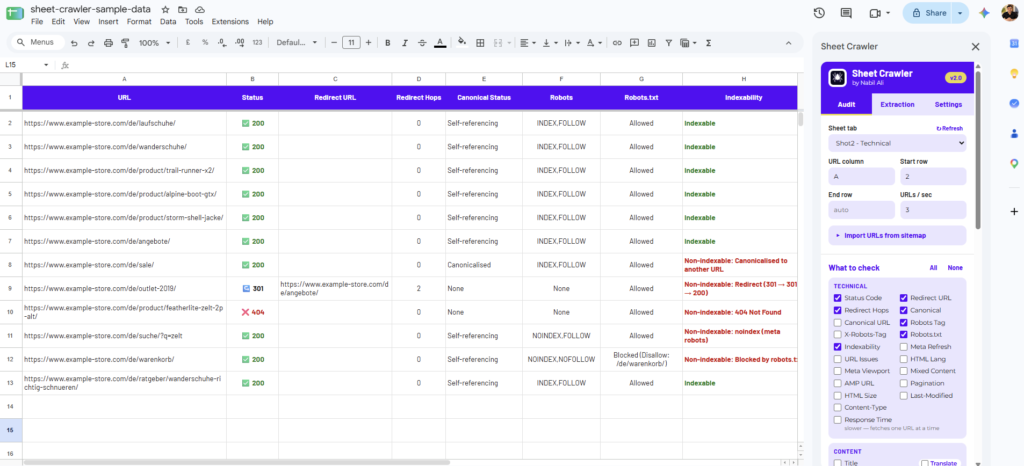
Status codes, redirect chains and an indexability verdict that explains why a page isn’t indexable.
Content and headings
Title, meta description and word count, with title and meta length in characters and pixel width, plus optional translation. All H1–H6 text and counts, with heading issues flagged: missing or multiple H1s and skipped levels.
Links, images and schema
Internal, external and nofollow links, and images missing alt text or size. Schema types, the full JSON-LD code, product price, stock status and hreflang.
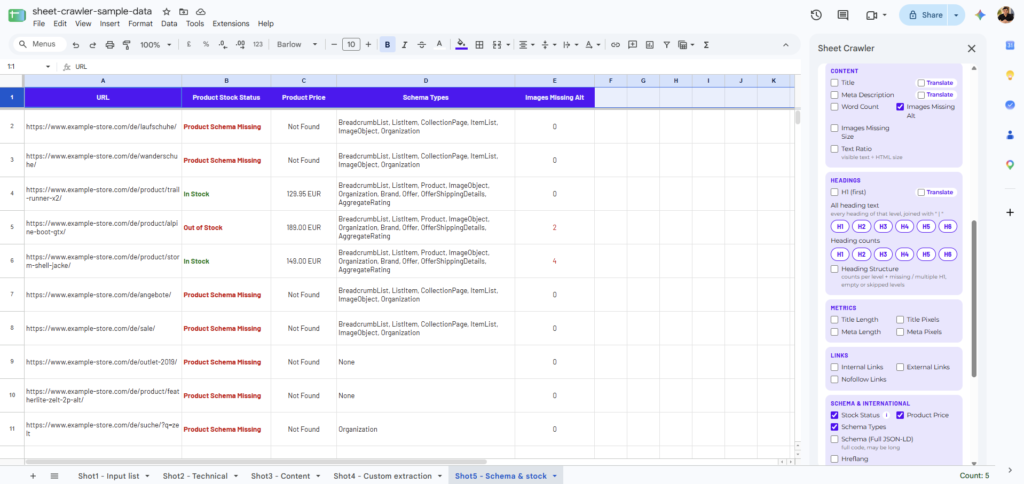
Stock status, price, schema and missing alt text, checked for every URL in the audit.
Social tags, URLs and duplicates
Open Graph and Twitter tags, mixed content, URL issues, pagination and AMP. Duplicate titles, meta descriptions and H1s are flagged across every URL in the audit.
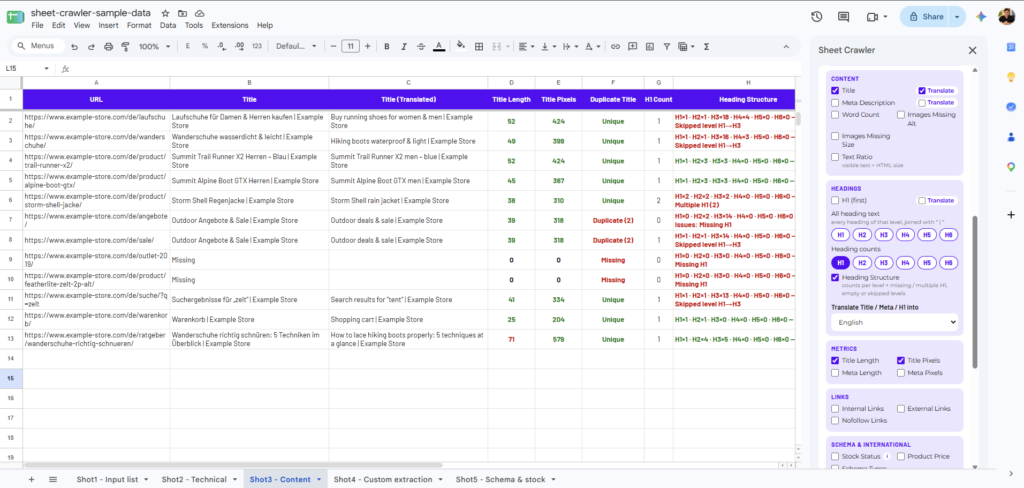
Content, heading and duplicate checks, written back as columns.
Custom extraction and templates
When the standard checks aren’t enough, pull anything from a page with CSS selectors, XPath or regex: a product SKU, an author name, a price or a review count. Save a set of rules as a template, such as “Product page”, and reuse it on the next audit.
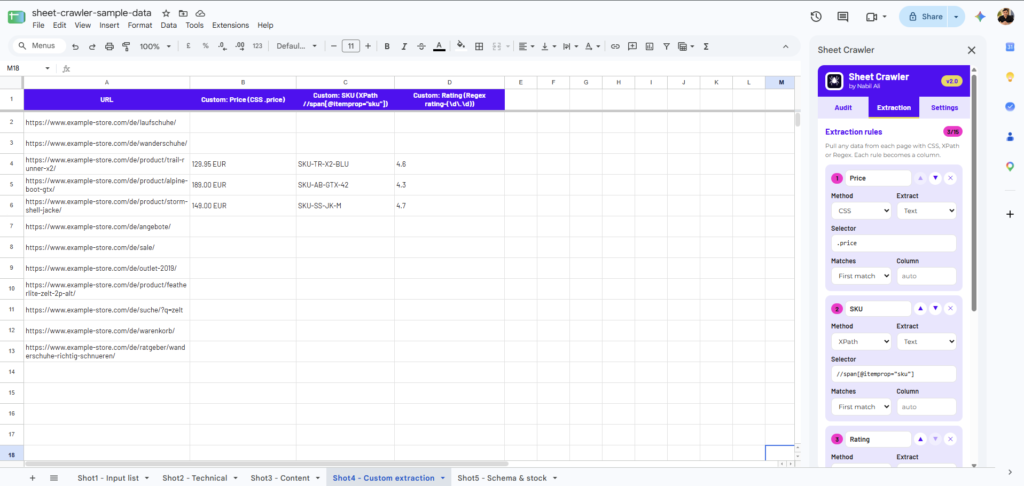
Custom extraction rules: price with CSS, SKU with XPath and rating with regex, each becoming a column.
Built for real projects
- Import from a sitemap: pull URLs straight from an XML sitemap instead of pasting them.
- Staging sites: audit password-protected staging sites with Basic Auth before they go live.
- Speed control: up to 10 URLs a second, with cancel and resume from any row.
- Large lists: up to 15,000 URLs per audit.
How it works behind the scenes
- It runs on Google’s servers, not your computer. Pages are fetched by Google Apps Script, so there’s no load on your laptop and you can keep working while it runs.
- Your data stays in your Google account. Nothing is sent to any outside server. The add-on can only open the sheet it runs in, and saved logins and templates are private to each person.
- Long audits run in rounds. Google limits each run to six minutes, so Sheet Crawler works in rounds of about four minutes, each carrying on where the last one stopped.
- Generous daily capacity. About 100,000 page fetches per person per day on our Workspace accounts, enough for a full 15,000-URL audit.
What this means for our clients
Quick checks are now quick. Redirect maps, priority pages and post-migration lists get audited in the sheet the client already shares with us, and the findings are ready to filter and act on.
Because the checks run where the work lives, our team spends less time moving data around and more time fixing what the data shows.
It also shows how we work: when something in our day is slower than it should be, we build the fix and share it with the whole team.
Want audits like this for your site? Talk to our team.
FAQ
Is Sheet Crawler available outside Botpresso?
Not yet. It’s an internal tool our team uses for client work.
Does it replace a desktop crawler?
No. For full-site crawls and deep site architecture work we still use a dedicated crawler. Sheet Crawler is for checking a list of URLs quickly, right where they are.
How many URLs can it check?
Up to 15,000 URLs per audit, at up to 10 URLs a second. Long audits run in rounds and can be resumed from any row.
Is the data safe?
Yes. Pages are fetched by Google Apps Script, results stay in your Google Sheet, and nothing is sent to an outside server.